
This Website Is Also an SSH Server
I already built my site as a fake terminal. So I built the real one too: the whole thing, served over SSH with Go, Wish, and Bubble Tea.
I already built my site as a fake terminal. So I built the real one too: the whole thing, served over SSH with Go, Wish, and Bubble Tea.
TL;DR: My site was already a browser terminal, so I built the real one too:
ssh stephan.zych.beserves the same About, Projects, and Blog over SSH. No browser, no JavaScript. It's a short Go stack on Charm's toolkit: Wish (SSH server), Bubble Tea (TUI), and Glamour (Markdown), all reading the exact samecontent/the website does.
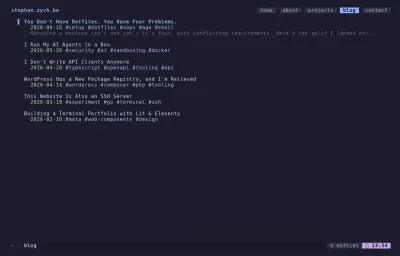
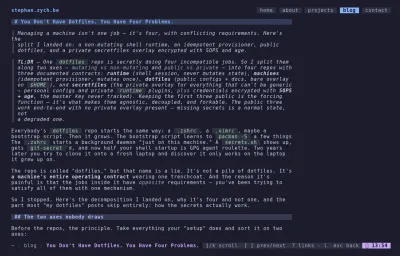
The website you're reading is a terminal cosplaying as a browser. Catppuccin, JetBrains Mono, a : command palette, the whole bit. It was only a matter of time before someone asked the obvious question: if it looks like a terminal, why can't I just SSH into it?
So now you can:
ssh stephan.zych.beNo browser. No JavaScript. No web fonts pretending to be a TTY. Just a Go program piped down an SSH connection, rendering the exact same About, Projects, and Blog you're looking at right now. Except this time the terminal is real.
Stealing the idea, honestly
I'd love to claim originality. I can't.
ThePrimeagen has been beating the "the terminal is the best UI you'll ever ship" drum for years, and at some point it stops being a meme and starts being a design brief. Then terminal.shop showed up and sold actual coffee through ssh terminal.shop: a real storefront, real checkout, zero pixels. That's the kind of unreasonable commitment to a joke I respect, because the joke turns out to be load-bearing: SSH is a battle-tested, encrypted, universally installed application protocol, and we mostly use it to type git pull.
A personal site is a lower-stakes target than a payment flow, which made it the perfect excuse to find out how the trick works.
The stack is suspiciously short
The whole thing is Charm's toolkit doing the heavy lifting:
- Wish: an SSH server you compose out of middleware, the same way you'd build an HTTP handler chain.
- Bubble Tea: the Elm-architecture TUI framework (
Model,Update,View) that renders the actual interface. - Glamour: Markdown → styled terminal output, so my blog posts render in the TUI without a second content pipeline.
Stacked up, the connection flows straight through Charm's toolkit:
flowchart LR
  user["ssh client"] --> wish["Wish<br/>SSH server + middleware"]
  wish --> tea["Bubble Tea<br/>per-session TUI"]
  tea --> glamour["Glamour<br/>Markdown → styled TTY"]
  glamour --> out["Rendered terminal UI"]
Wish's whole pitch is that an SSH session is just another way to hand a user a terminal. Bubble Tea already renders to a terminal. So you bolt one onto the other, and the same Model that runs locally suddenly runs for anyone on the internet with an ssh client. Which is everyone.
s, err := wish.NewServer(
    wish.WithAddress(net.JoinHostPort(host, port)),
    wish.WithHostKeyPath(hostKey),
    wish.WithMiddleware(
        bm.Middleware(teaHandler),    // hand each session a Bubble Tea program
        activeterm.Middleware(),      // reject anything that isn't a real TTY
        lm.Middleware(),              // log connections
    ),
)
That's the server. The interesting line is bm.Middleware(teaHandler): every incoming SSH session gets its own Bubble Tea program, sized to their window, running their event loop. A hundred people can connect and each gets an isolated TUI. The middleware stack reads bottom-to-top like any good onion, and activeterm quietly slams the door on bots and scripted pokes that don't bring an interactive terminal.
One terminal, sized to your window
The handler that runs per connection is where the SSH-specific reality leaks in. You have to ask the client how big its terminal is, because there's no viewport to measure:
teaHandler := func(s ssh.Session) (tea.Model, []tea.ProgramOption) {
    pty, _, active := s.Pty()
    w, h := 80, 24
    if active {
        w, h = pty.Window.Width, pty.Window.Height
    }
    // ...build the model at that size
    return NewModel(c, d, err, w, h), []tea.ProgramOption{tea.WithAltScreen()}
}
80×24 is the fallback because of course it is. That's the size of a VT100, and we are apparently never escaping 1978. tea.WithAltScreen() flips into the alternate screen buffer, the same one vim and htop use, so when you disconnect your scrollback is exactly where you left it instead of buried under my ASCII wordmark.
The part I'm actually smug about: one source of truth
Here's the rule I refused to break: I am not writing my bio twice.
The web build (Eleventy + Lit web components) and the SSH build (Go + Bubble Tea) are completely different runtimes that share zero code. The thing they do share is a directory (content/) full of Markdown and JSON. The website reads it at build time. The TUI reads it at connection time:
// Reload content per session so deploys without a restart still serve
// fresh data; fall back to the boot-time copy on error.
c, err := LoadContent(contentDir)
if err != nil {
    c, err = content, loadErr
}
That per-session reload is a small thing that buys a lot: I can edit a project, redeploy the content, and the next SSH connection sees it without bouncing the server or dropping anyone mid-session. The web and the terminal stay in lockstep because neither owns the content. The content/ directory does. Two renderers, one set of facts. Edit once, ship to both.
Where it actually lives
A demo on your laptop is one thing; a public SSH port is another. This runs in a distroless container: a base image with no shell, no package manager, no busybox, nothing but the compiled Go binary. If someone ever found a hole in the TUI, there's no /bin/sh waiting on the other side to pivot into. The binary runs as a non-root user, on a read-only root filesystem, with every Linux capability dropped.
The port is the one trick worth spelling out. You can't put a normal reverse proxy in front of SSH: Caddy, Traefik, and friends route by TLS SNI, and SSH has no SNI. There's no hostname in the handshake to switch on. So there's no L7 proxy here. The container listens on an unprivileged 2222 (binding :22 would mean running as root, no thanks), and Docker publishes it to the host's port 22 directly:
ports:
  - "22:2222"
The only catch: the box's own sshd has to move off 22 first, or the two fight over the port. Admin SSH lives on some other number now, firewalled; port 22 belongs to the site.
The same box serves the website too: a tiny Caddy container next to the TUI, both reading the same content/ directory, fronted by one domain with automatic HTTPS. (The website could just as happily live on a CDN like GitHub Pages; I went one-box because the SSH server already needed a home and I like deploying the whole thing with a single docker compose up.)
The tedious-but-load-bearing details the demos skip:
- Host keys are your identity. Treat them like it. The server presents a host key on every connection; regenerate it casually and every visitor gets the
REMOTE HOST IDENTIFICATION HAS CHANGEDwall of fear. It's generated once and persisted in a volume, never rotated on a whim. - A public SSH server is an abuse magnet. Idle sessions get dropped, every session has an absolute time cap, and there's a ceiling on concurrent connections, so one bored script can't hold the door open forever or fork-bomb the box.
- A session can do exactly one thing: look at my CV. No shell, no auth, no file access.
activetermrejects anything that isn't a real interactive terminal, and a Bubble Tea program is the entire surface area. It's still an open port on the internet, and you build it like one.
Go on, then
It's live. Same content, half the dependencies, none of the browser:
ssh stephan.zych.beOr, if you're already in here clicking around like it's 2010, press : and run ssh. It'll copy the command for you. Then go open a real terminal and see the other half of the joke.
Same content, half the dependencies, none of the browser: ssh stephan.zych.be.